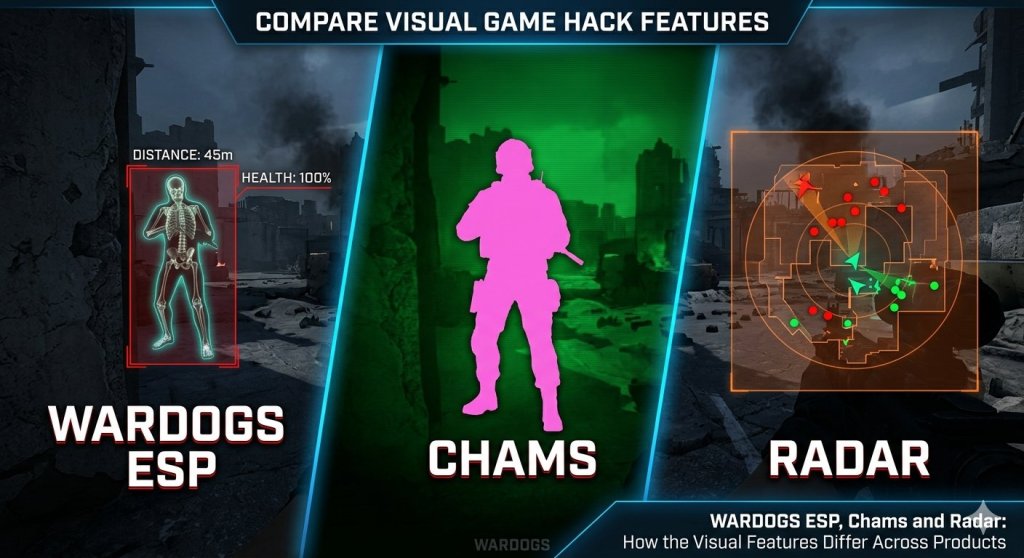
When players search for a WARDOGS wallhack, they are usually looking for one thing: information they would not normally see. The phrase is broad, though, and it hides real differences between products. Boxes and skeletons, chams, World ESP, and radar all deliver information in different ways. The current WARDOGS range spreads those features across three product types, so knowing what each visual tool does makes the comparison much easier.
Player ESP: The Core Overlay
Player ESP is the foundation. It draws information over the game view to show where players are and what state they are in. All three current products include it, but the details differ.
WARDOGS Ancient, the external option, shows enemies and teammates with boxes, skeletons, names, health, weapons, and distance. WARDOGS Hero, the internal option, focuses on skeletons, head circles, view direction, off-screen arrows, health, names, faction, distance, and held items. WARDOGS DMA offers full, cornered, or filled boxes, skeletons, a head dot, names, distance, snaplines, health bars, off-screen arrows, and separate enemy and teammate styling.
Vehicle ESP: Unique to Ancient
Ancient adds a layer the others do not: vehicle information. It can show vehicle names, seat information, and the players inside, with a separate render distance. For anyone who spends a lot of time around vehicles, that is a meaningful difference rather than a minor extra.
Chams: Changing How Models Look
Chams are often lumped together with wallhacks, but they work differently. Instead of drawing boxes or lines, chams change how a supported model is rendered so it stands out. Hero is the product to look at here. It separates player chams, self chams, and weapon chams, with solid color and RGB controls.
World ESP: Beyond Players
Hero also includes World ESP, covering objects rather than players: claymores, mines, dropped items, ammunition crates, and supply crates, each with names and distances. That is useful for avoiding traps and finding supplies, and it is a different job from tracking enemies.
Radar: A Separate View
Radar moves information out of the main game view. The DMA product includes an in-game radar that can rotate with the view and draw tracers, plus a password-protected web radar with LAN and public tunnel support. Because DMA runs on separate hardware, this setup suits players who want a second screen showing positions without cluttering the game itself.
Keeping the Screen Readable
More visual information is not automatically better. Every marker competes for attention, and a crowded overlay can hide the fight it is meant to help with. Most players get more from a focused setup showing nearby threats clearly than from every label enabled at maximum range.
A practical approach is to pick the visual feature that solves your biggest problem first. If you lose fights to players you did not see, start with clean player ESP. If vehicles keep catching you out, Ancient is the obvious comparison. If traps and supplies matter, look at Hero. If you already own DMA hardware and want a second screen, radar is the deciding feature.
A Note on Status
All three products are currently listed as undetected, but that describes a present status, not a guarantee. Game updates and anti-cheat changes can alter the risk at any time, so checking the live product page before launching remains essential.
For a full comparison of WARDOGS Ancient, Hero, and DMA, including aim settings, triggerbot, hardware requirements, and spoofer details, see the WARDOGS Cheats Information guide.

